Live Map
The ADAM Live Map is the public web map of recent disaster events monitored by ADAM. It shows earthquakes, tropical storms, storm disturbances and floods from the last days on a single world map, and from every event it links to the impact products that ADAM generated for it.
- URL: https://adam.geospatial.wfp.org/live/
- Access: public, no login, read-only
- Requirements: a current desktop browser (Chrome, Edge, Firefox, Safari) with WebGL enabled. The map is rendered with MapLibre GL.
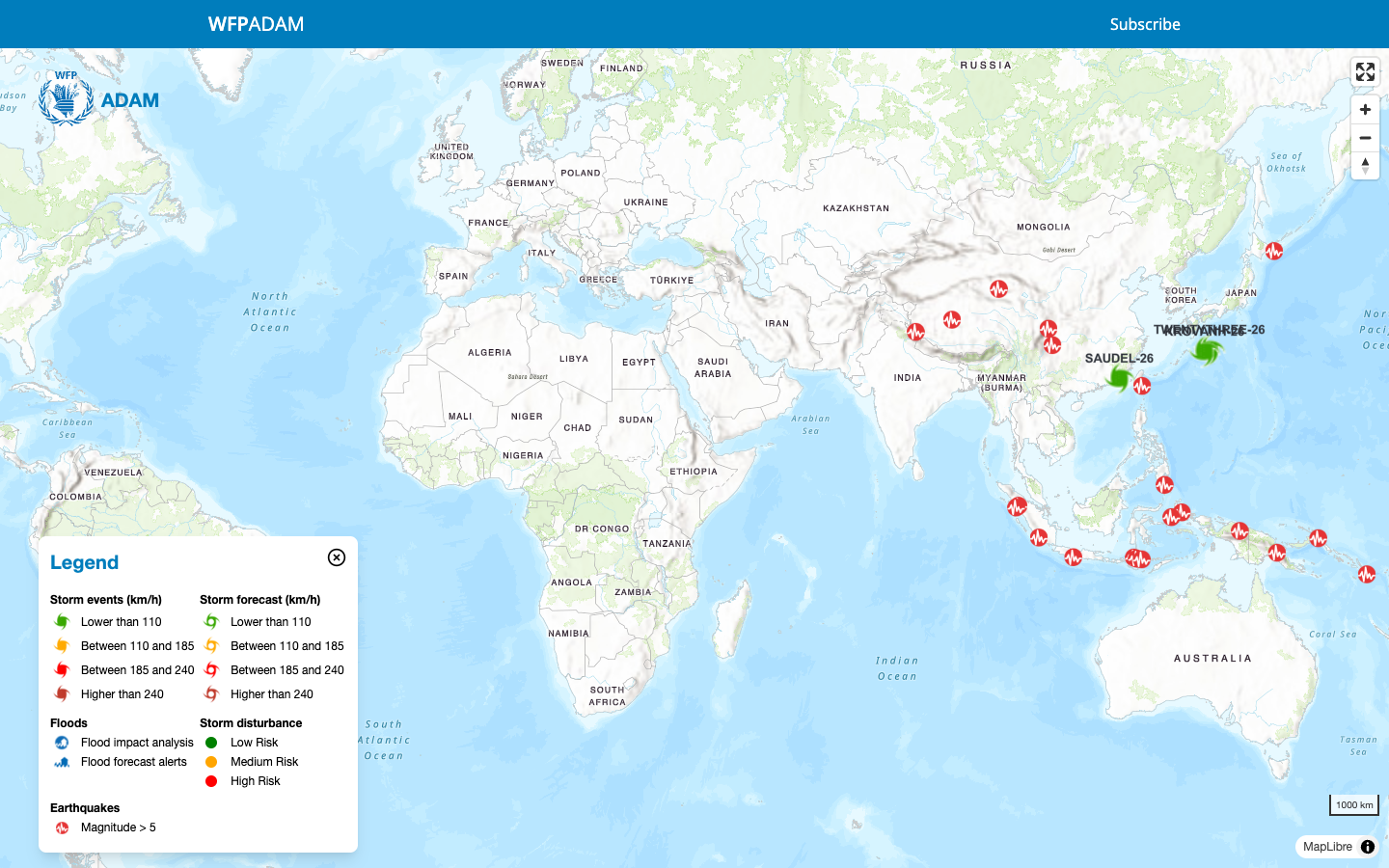
The interface
| Element | Where | What it does |
|---|---|---|
| WFP ADAM header | top | Site title. Subscribe on the right opens the alert subscription form in a new tab. |
| Legend panel | bottom-left | Explains every symbol on the map. Close it with the button when you need the full canvas. |
| Map controls | top-right | Enter fullscreen, zoom in, zoom out. The compass resets north; drag it to rotate the map. |
| Scale bar | bottom-right | Updates with the zoom level. |
| Basemap | everywhere | WFP topographic basemap with country boundaries and labels. |
Pan by dragging, zoom with the mouse wheel or the / buttons. Fullscreen works well for operations rooms and briefings.
Reading the legend
Each hazard has its own symbol family. Marker colours carry meaning, so read them together with the legend.
| Hazard | Symbol | Meaning |
|---|---|---|
 Earthquakes Earthquakes | red seismograph badge | Earthquakes with magnitude 5 or higher for which ADAM produced a dashboard. |
 Tropical storms Tropical storms | hurricane glyph, coloured by wind speed | Green below 110 km/h, yellow 110 to 185 km/h, red 185 to 240 km/h, dark red above 240 km/h. A filled glyph is an observed position (Storm events); an outlined glyph is a forecast position (Storm forecast). Each storm is labelled with its name and a two-digit year, for example KROVANH-26. |
| Storm disturbances | green, orange or red dot | Developing systems that are not yet named storms, classified as low, medium or high risk. |
 Floods Floods | blue flood icons | Flood impact analysis marks a satellite-observed flood event. Flood forecast alerts marks a river flood forecast derived from GLOFAS. |
What the map shows
The Live Map is a window on the most recent activity. Older events are not shown, but they remain available through the API and in QGIS.
| Layer | Time window | Notes |
|---|---|---|
| Earthquakes | last 14 days | magnitude 5.0 or higher, dashboard available |
| Tropical storms, tracks and wind buffers | last 5 days | all named storms updated in the window |
| Storm disturbances | last 2 days | pre-classification systems |
| Flood impact analyses | last 10 days | satellite-observed events |
| Flood forecast alerts | last 4 days | GLOFAS-based river forecasts |
Quiet map
If a hazard has no symbols on the map, there was simply no qualifying event in its time window. Flood symbols in particular appear only while an event or alert is active.
Exploring an event
The popup
Click a symbol to open its popup. Every popup follows the same layout: hazard type and name or place, a coloured badge with the key figure, the date and time in UTC, the country, and a list of Useful Links that open the products ADAM generated for that event. The View button opens the event view.
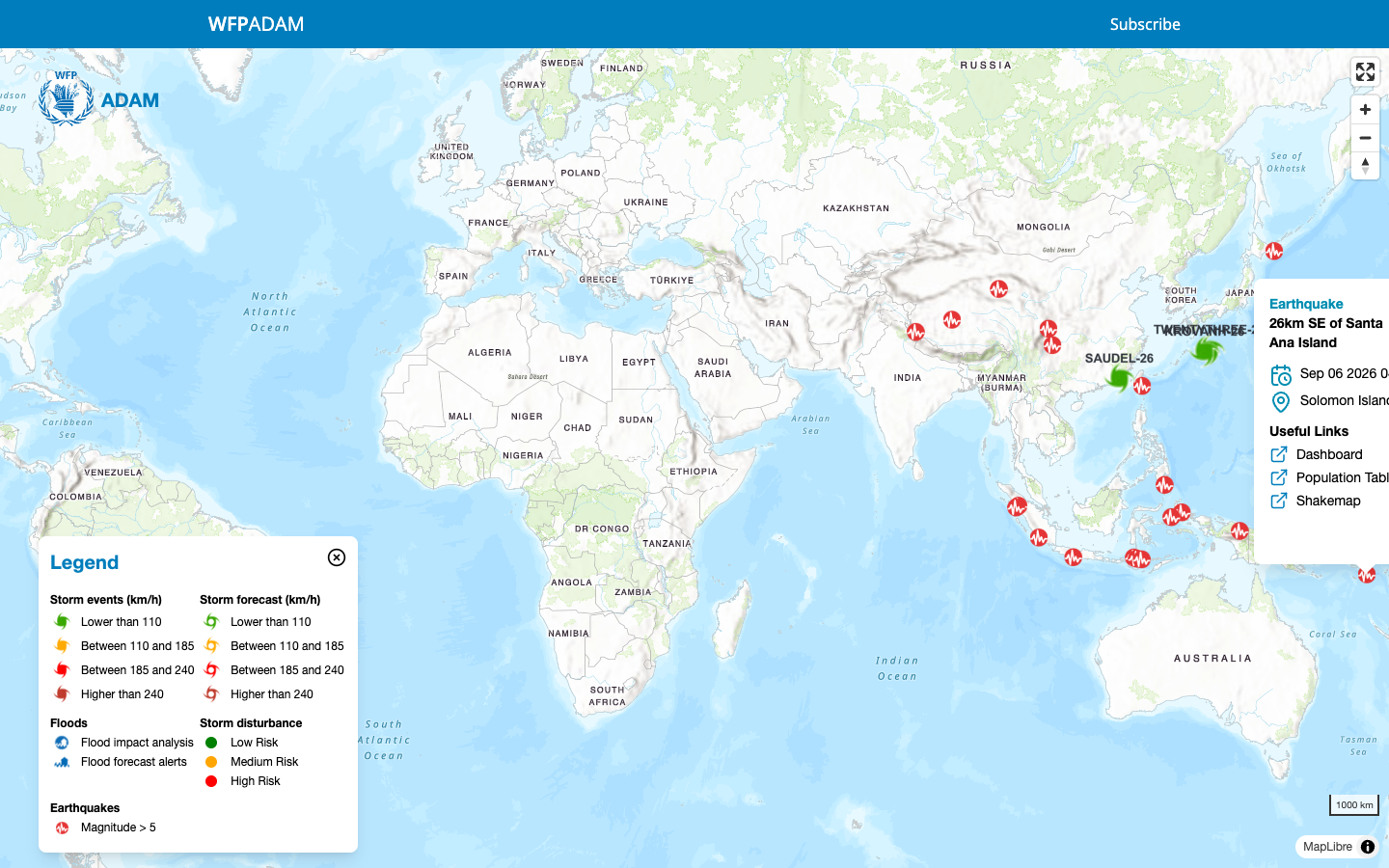
- Badge: magnitude
- Dashboard: the ShakeMap dashboard image with epicentre, intensity, exposed population and WFP presence
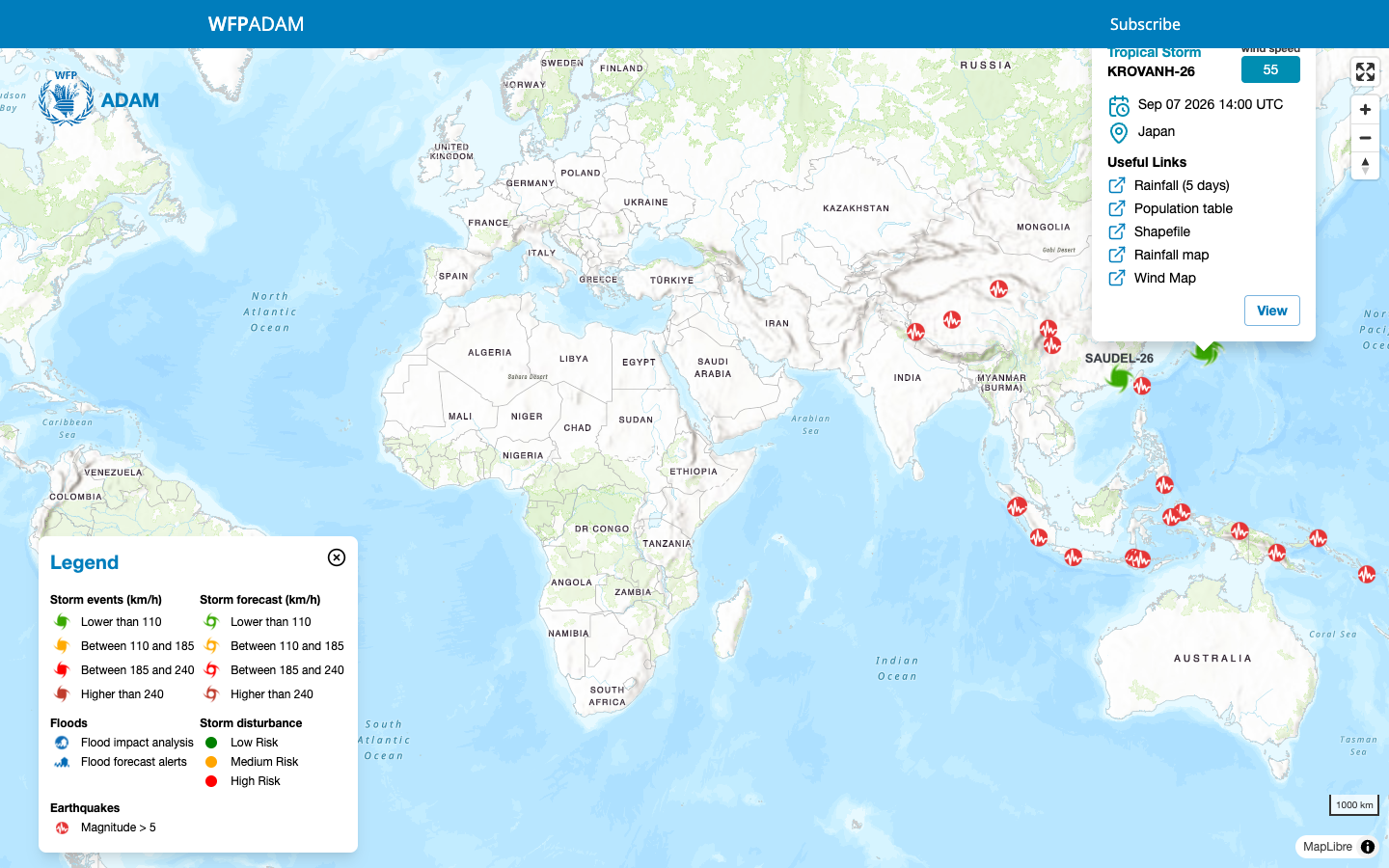
- Badge: current wind speed in km/h
- Rainfall (5 days) and Rainfall map: the 5-day accumulated precipitation forecast map
- Wind Map: the track, wind buffers and population at risk map
- Population table: exposed population per wind buffer, as a spreadsheet
- Shapefile: track, forecast positions and buffers as GIS data
Flood symbols link to the PDF bulletin of the event or alert: the Satellite Observed Flooding report for an impact analysis, the Rainfall and river flood forecast bulletin for a forecast alert.
All products open in a new browser tab. They are plain files, so you can save, print or forward them. What each product contains is described in Event dashboards and products.
The event view
View zooms the map to the event and gives it its own address. The legend shows the event title and only the symbols relevant to that hazard. Back returns to the global map.
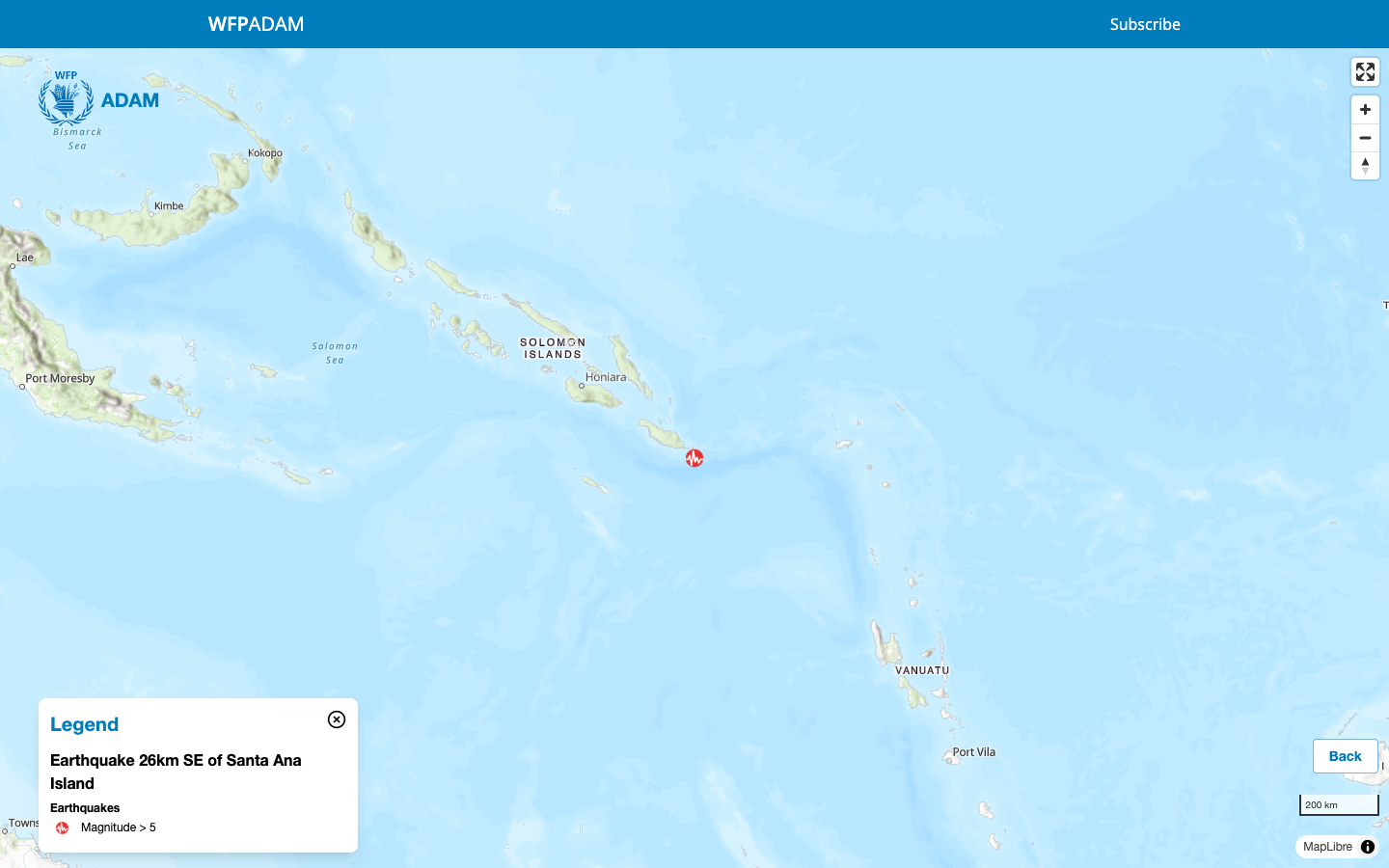
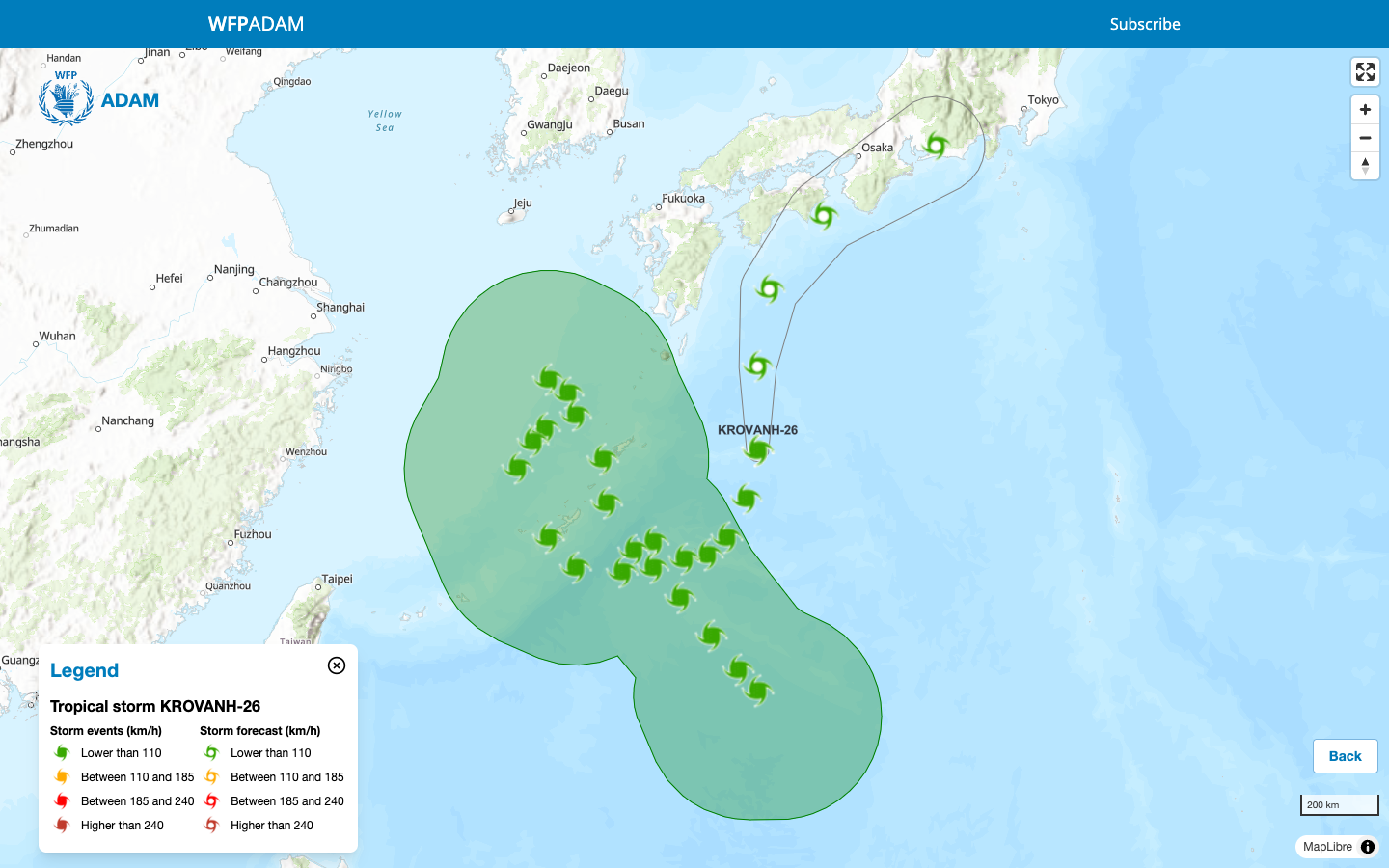
For a storm the event view adds what the global map hides: the observed positions (filled glyphs) inside the translucent wind zone polygon, the forecast positions (outlined glyphs) and the uncertainty cone around the forecast track.
The event view URL is stable for the life of the event on the map, so you can paste it in an email or a chat:
https://adam.geospatial.wfp.org/live/EQ-20260905T140607-IDN
https://adam.geospatial.wfp.org/live/TS-KROVANH-26
Earthquake identifiers combine the origin time in UTC and the ISO3 country code. Storm identifiers combine the storm name and the year. Once an event leaves the time window, the link falls back to the global map.
Getting notified
The map is a pull channel: you open it when you need it. To be told when something happens, use the Subscribe link in the header and register for email alerts by hazard and area. See Alerts.
Next steps
- Event dashboards and products to read the maps and tables behind the links
- Alerts to receive new events by email
- Use ADAM in QGIS to load the same events as GIS layers, with the full history